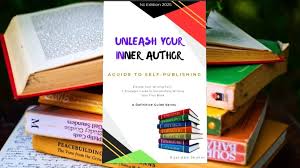

How I published my first book for free on Notion Press-and you can too! Publishing a book used to feel like chasing a dream only big-name authors could afford. I believed that achieving publication required a literary agent, a substantial financial investment, and a fortunate circumstance. But that changed the moment I discovered NotionPress — a platform that made it possible to publish my first book for free. And the best part? I didn’t need any technical skills or upfront investment.
Let me walk you through my journey—and how you can do it too.
The Idea That Started It All
How I published my first book for free on NotionPress-and You Can Too! Like many writers, I had been sitting on a manuscript for months — maybe even years. I’d jot down notes, write at odd hours, and tell myself, “Someday, I’ll publish this.” That “someday” came when I stumbled upon NotionPress while researching self-publishing options in India.
Why I Chose NotionPress: How I published my first book for free on NotionPress—and You Can Too!
I was blown away by a few things:
- Zero upfront publishing cost
- No need for a literary agent
- Easy-to-use publishing dashboard
- Global distribution (Amazon, Flipkart, NotionPress store)
- 100% creative control
Most importantly, they had a Free Publishing Plan that included:
- ISBN allocation
- Print-on-demand setup
- Worldwide online availability
For a first-time author, this was gold.
My Step-by-Step Publishing Experience
Here’s how I published my book with ease:
1. Created a Free Account
I signed up on NotionPress using this link and got access to my dashboard instantly.
2. Uploaded My Manuscript
They accept DOC and PDF files. I used a simple Word doc and formatted it using their free guidelines.
3. Designed My Book Cover
Not a designer? No problem. NotionPress has a free online Cover Design Tool. I created a clean and attractive cover in minutes.
4. Set the Book Price
With their royalty calculator, I could decide how much I’d earn per copy. I was in control.
5. Hit “Publish”
That’s it! Within a few days, my book was live on NotionPress, Amazon, and Flipkart. I shared the links with friends and started getting my first orders.
Tools & Tips That Helped Me Succeed
- Use Grammarly to polish your draft.
- Create a compelling book description — this sells your book.
- Promote on social media, blogs, and WhatsApp.
- Ask friends for Amazon reviews to boost credibility.
The Results: How I published my first book for free on NotionPress—and You Can Too!
- Published my book without spending a rupee
- Started earning passive income from book sales
- Built credibility as a self-published author
- Gained confidence to write more!
You Can Do This Too! : How I Published My First Book for Free on Notion Press- And You Can Too!
Publishing your own book isn’t just for celebrities or experts. If you have a story, a message, or even a collection of poems — NotionPress gives you the platform.
👉 Ready to publish your book for free?
Sign up here to get started:
Let’s turn your dream of becoming an author into reality.
If I can do it, so can you.